
Blog / October 24, 2026
iPad POS for restaurantsiPad POS for restaurants: run it on the iPad you already have
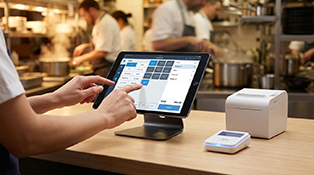
Short answer: if you already own an iPad, you don't need new POS terminals. Ser.vi POS runs on your existing iPad with $0 a month in software; Ser.vi hardware is optional and offered on terms. Staff-entered POS orders are 3.0% + 20¢, paid by the restaurant by default, and you can pass that to customers with a cash discount program. Square for Restaurants, TouchBistro and Lightspeed also run on iPads. SpotOn, Toast and Clover sell their own devices instead.
Updated October 24, 2026 · Competitor prices read from each company's own website on October 24, 2026
Restaurant POS systems: can you keep your iPad?
Published prices only, from each company's own site. Your quote can differ.
| POS | Runs on an iPad you own? | Monthly software (published) | In-person card rate | Hardware and term |
|---|---|---|---|---|
| Ser.vi | Yes, your existing iPad | $0 | 3.0% + 20¢ per POS order, paid by the restaurant by default; pass it on with a cash discount program | Ser.vi hardware optional, offered on terms; no software contract |
| Square for Restaurants | Yes, a compatible iPad (Square Stand page: "Use a compatible iPad you already own") | Free $0 · Plus $49 · Premium $149 per location | 2.6% / 2.5% / 2.4% + 15¢ by plan | Square Stand $149 or $14/mo for 12 months; KDS $30/$20 per device per month |
| TouchBistro | Yes, most iPad models on iPadOS 15 or higher (TouchBistro help center) | POS from $69/mo; Essentials Bundle with hardware and payments from $119/mo | Not listed on the pricing page ("payment processing and additional fees apply") | Pricing page notes "Hardware required" |
| Lightspeed Restaurant | Yes, listed Apple devices on iPadOS 17 or higher (Lightspeed support) | Starter $69 · Essential $189 · Premium $399 USD (shown with yearly billing) | Not listed with the plan prices | KDS $30 per screen per month |
| SpotOn | No ("Can I use my own POS hardware or tablets? No.") | All-In $0 per station · Essentials $55 per station | 2.79% + 20¢ (All-In) · 2.45% + 15¢ (Essentials) | All-In: 2-year minimum term; Essentials: buy SpotOn hardware |
| Toast | No ("may only be used on approved Toast hardware") | Starter Kit from $0 · Point of Sale from $69 | Not compared here | Toast hardware |
| Clover | Sold as Clover devices (Station Solo, Flex) | Restaurant Starter bundle $179/mo for 36 months, or $1,799 + $89.95/mo | 2.3% + 10¢ | 36-month bundle term on the monthly option |
Sources, all read October 24, 2026: Square for Restaurants pricing and Square Stand; TouchBistro pricing and supported iPads; Lightspeed Restaurant pricing and supported hardware; SpotOn pricing; Toast pricing; Clover restaurant pricing. Ser.vi: our pricing page. Online and keyed-in card rates are higher on most systems. Prices change; check each vendor before you sign. All trademarks belong to their owners; Ser.vi is not affiliated with any of these companies.
What an iPad POS really costs
Every restaurant POS bill has three lines: software, card processing and hardware. Keeping your iPad takes the biggest hardware line off the table. What's left is software and card fees, and that's where iPad POS systems differ.
Worked example: 1,000 in-person tickets a month at $40 ($40,000 in card sales), on iPads you already own.
- Square for Restaurants Free: $0 software + 2.6% + 15¢ per card ($1,190) = about $1,190 a month. Plus: $49 + 2.5% + 15¢ ($1,150) = about $1,199. Premium: $149 + 2.4% + 15¢ ($1,110) = about $1,259.
- TouchBistro and Lightspeed: software starts at $69 a month, and neither lists its card rate next to the plan price, so get a written processing quote before you compare.
- Ser.vi, restaurant pays (default): $0 software + 3.0% + 20¢ per POS order ($1,400) = $1,400 a month.
- Ser.vi, with a cash discount program: the 3.0% + 20¢ is passed to customers who pay by card, so the restaurant's POS fee line is close to $0.
Read that honestly: if you absorb card fees yourself, Square's published per-swipe rate is lower than Ser.vi's 3.0% + 20¢. Ser.vi comes out ahead when you pass the POS fee on with a cash discount, and when more of your orders move online. How cash discount differs from a surcharge.
Online orders, same $40 ticket: on Ser.vi the guest pays $2.00 (5%) and the restaurant pays $0 in commission. Square's restaurant pricing page lists online card payments at 3.3% + 30¢ on the Free plan ($1.62 on that ticket, paid by the restaurant). A delivery app at 25–30% commission takes $10–$12. See commission-free online ordering and who pays the online ordering fee.
How to choose an iPad POS
- Check your iPad against the vendor's list. Requirements differ: TouchBistro asks for iPadOS 15 or higher, Lightspeed Restaurant for iPadOS 17 or higher on listed devices. Older iPads may not qualify.
- Ask what you need besides the iPad. Card readers or terminals, kitchen printers, a cash drawer and a kitchen display are often separate, and some are charged per device per month.
- Find out who pays the card fee. A lower rate you absorb can cost more than a slightly higher rate you pass on with a cash discount program.
- Read the term. Some $0 plans carry a processing minimum or a multi-year term; others are month to month.
- Put online and QR ordering on the same menu. One menu for the POS, your website and table QR codes means one place to change prices and 86 items.
What Ser.vi POS does on your iPad
At the counter and the table
- Counter orders, table tabs and bar tabs
- Staff PIN log-in, comps and voids
- Split payments up to 8 ways
- Item variants and modifiers, gift cards and limited-quantity items
- Tableside payments and a customer-facing display on optional Ser.vi hardware
On the same menu
- Online ordering: 0% commission to you, guest pays 5%, no monthly fee
- QR self-service ordering from the guest's own phone
- 1-week setup guarantee once we have your information
- Optional marketing plans from $249/mo, never required
Ser.vi POS runs on iPad and on Ser.vi hardware, not on phones. Ser.vi has served restaurants since 2016. See the full POS.
Questions restaurants ask
- Can I use my existing iPad as a restaurant POS?
- Yes, with a POS built for iPad. Ser.vi POS runs on your existing iPad, with Ser.vi hardware optional and offered on terms. Square for Restaurants, TouchBistro and Lightspeed Restaurant also run on iPads that meet their requirements. SpotOn, Toast and Clover sell their own devices instead.
- What is the cheapest iPad POS for restaurants?
- On software, Ser.vi and Square's Free plan are both $0 a month (Square's paid restaurant plans are $49 and $149 per location). On card fees, Square's Free plan lists 2.6% + 15¢ in person versus Ser.vi's 3.0% + 20¢. Ser.vi lets you pass that POS fee to customers with a cash discount program, and its online ordering charges the restaurant 0% commission because the guest pays 5%. Which is cheaper depends on your ticket count and on who pays the card fee.
- Which restaurant POS systems do not run on an iPad you own?
- SpotOn's pricing FAQ answers "Can I use my own POS hardware or tablets?" with "No." Toast's pricing page says its services "may only be used on approved Toast hardware." Clover's restaurant plans are sold as Clover devices such as Station Solo and Flex (read October 24, 2026).
- Does Ser.vi POS run on an iPhone or Android phone?
- No. Ser.vi POS runs on iPad and on Ser.vi hardware, not on phones. Guests use their own phones for QR self-service ordering and online ordering, which run on the same menu as the POS. QR self-service ordering
- Do I have to buy Ser.vi hardware?
- No. The POS runs on the iPad you already have. Ser.vi hardware, including tableside payment devices and a customer-facing display, is optional and offered on terms. On a free 20-minute demo we check your iPad and tell you what you need for card payments and printing.
- Is Ser.vi iPad POS really free?
- The software is $0 a month, with no subscription and no software contract. Staff-entered POS orders are 3.0% + 20¢, paid by the restaurant by default or passed to customers with a cash discount program. Hardware is separate and optional, offered on terms. Is a free restaurant POS really free?
Keep your iPad. See if Ser.vi fits.
Book a free 20-minute demo. We'll check your iPad, put your ticket count and average check next to Ser.vi's fees, and show POS, online ordering and QR ordering on one menu. No credit card, no obligation.
More comparisons: Square for Restaurants alternative · SpotOn alternative · Toast alternative · Clover alternative · No-contract restaurant POS · Free restaurant POS
By requesting a demo you agree to our Privacy Policy.